

Landing Page Design in 2026:
Crushing Conversions with Mobile-First & AI-Powered Magic
Navigate the future of web experiences where speed, intelligence, and accessibility converge.
Introduction: The Blink-and-You'll-Miss-It Era of Online Shopping
These days, attention spans seem to shrink daily, rivaling the lifespan of a fruit fly. Shoppers are hurtling through TikTok's and Instagram stories at breakneck speed. Your landing page has roughly three seconds – a mere heartbeat in internet time – to justify its existence.
"Good enough" is no longer acceptable. To thrive in 2026, you need mobile-first, AI-first, hyper-relevant experiences that feel native to every traffic source. Think of it: gone are the days of a single, static landing page. We're entering an era of continuous, intelligent experimentation.
Enter your secret weapon: Intelliassist – an AI-native landing page infrastructure crafted to make designing, adapting, and relentlessly testing responsive sections a walk in the park.
I. A Quick Trip Down Memory Lane: How Landing Pages Grew Up
Let's take a quick detour through the annals of web design, shall we?
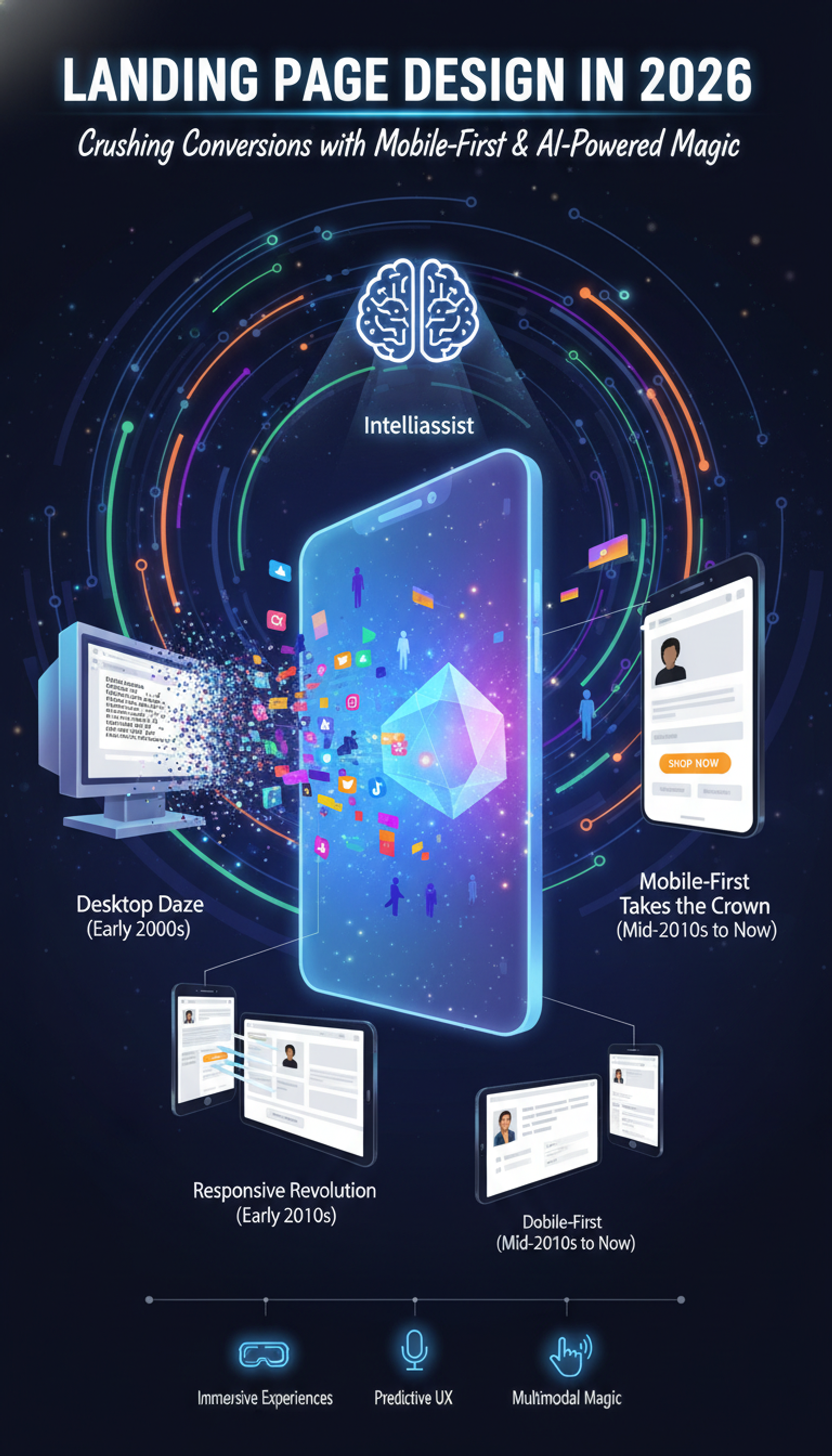
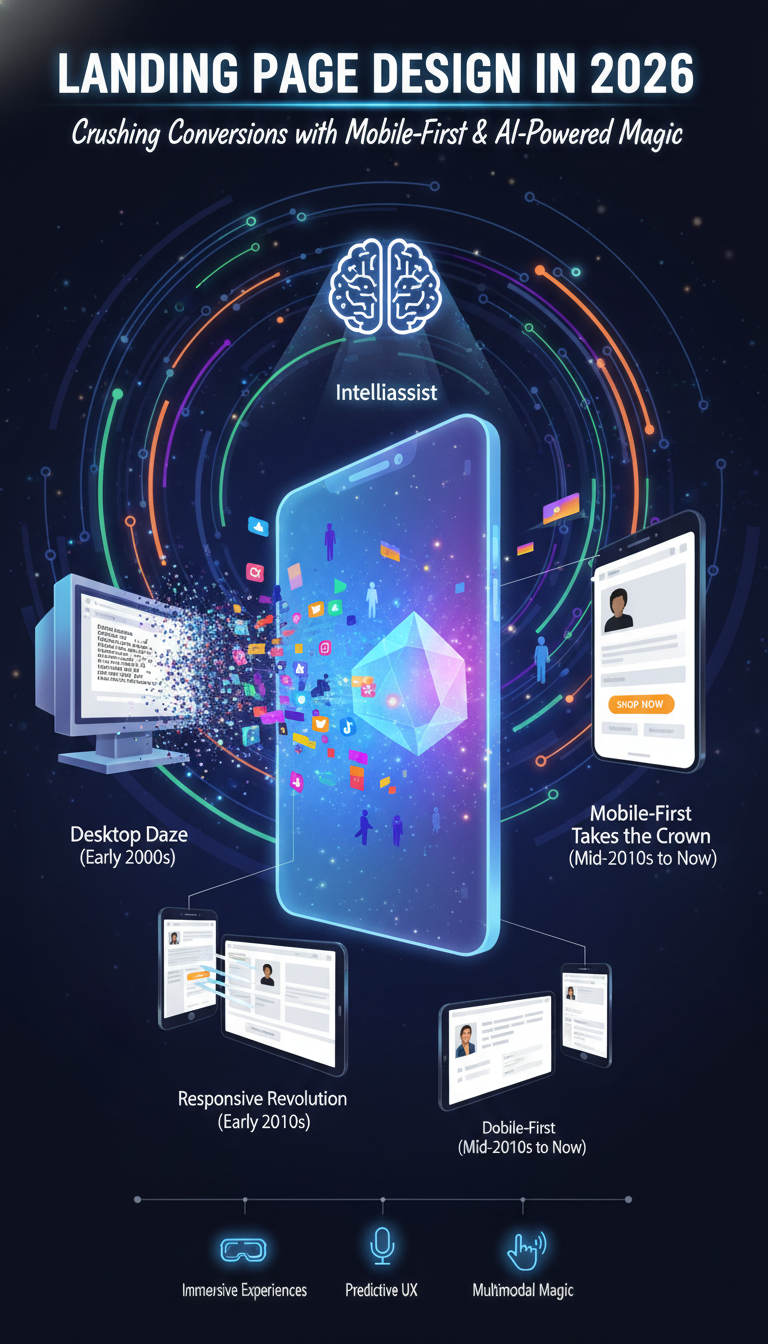
- The "Desktop Daze" (Early 2000s): Ah, the early internet. Remember landing pages overflowing with massive blocks of text, postage stamp-sized images, and a chaotic array of buttons? More was more, even if it meant overwhelming the user. They were clumsy, desktop-centric info dumps, meticulously crafted for slower internet speeds and, arguably, longer attention spans.
- The Responsive Revolution (Early 2010s): Then came the smartphone revolution, and those meticulously crafted desktop experiences looked atrocious on those tiny screens. Responsive design emerged as a quick fix, a bandage solution attempting to squeeze those bulky pages into a mobile format. Better, yes, but still a desktop experience struggling to survive in a mobile world.
- Mobile-First Takes the Crown (Mid-2010s to Now): Google's "Mobilegeddon" in 2015 wasn't just an algorithm update; it was a declaration. Mobile traffic reigned supreme, and designing for the smallest screen first became not just best practice, but a necessity for both UX and SEO. This forced designers to become ruthless editors, distilling their message down to its absolute essence.
- Today's Reality: The evolutionary journey continues, accelerated by the addictive nature of social media and the transformative power of artificial intelligence.
II. Decoding the Mobile-First Maze: Best Practices for 2026
The core objective is to communicate value in mere seconds, cultivate a sense of familiarity, and make interaction utterly effortless.
A. The Hero Section: Make 'Em Stop Scrolling!
- One Promise to Rule Them All: Cast aside those vague, generalized taglines. Your headline should boldly proclaim its specific value proposition: who it's for, what it delivers, all in one succinct and attention-grabbing line.
- Show, Don't Tell: Ditch the stock photos and embrace stunning lifestyle images or short, soundless video clips. Remember, visuals are processed approximately 60,000 times faster than text. Illustrate the outcome, not just the product itself.
- The Obvious CTA: A single, clear, primary call to action ("Shop Now," "Get Your Quote") that commands attention with contrasting colors and ample spacing. Secondary actions? Subdued text links are your friend. No decision paralysis here!
Intelliassist powers this: Effortlessly grab pre-built hero sections, and let AI suggest the perfect copy, visuals, and button text based on your campaign parameters.
B. Scannable Sections: Snackable Content for Short Attention Spans
- Break It Down: The era of lengthy paragraphs is over. Embrace bullet lists, bolded benefits, and short, impactful blocks of text. Remember, users are skimming, not studying.
- Pattern Recognition: Organize content logically (benefits, how it works, FAQs). Reusing familiar layouts, such as a "3-step routine" or "Before/After grids," facilitates rapid comprehension.
Intelliassist makes it easy: Seamlessly mix and match from a curated library of ready-to-use sections, with AI intelligently recommending the best blocks for your specific campaign and traffic source.
C. Visual Hierarchy: The Art of Guiding the Eye
- Size, Contrast, Space: Ensure key elements, such as headlines, prices, and CTAs, are visually dominant. Embrace generous whitespace – it's not empty; it's a design tool that minimizes cognitive load!
- Subtle Nudges: A strategically placed arrow or a model gazing towards your CTA can work wonders. Exercise restraint, however, or it risks feeling spammy.
Intelliassist got your back: It intelligently applies default hierarchy and uses AI to flag any areas where your primary message or CTA gets lost in the visual noise.
D. Truly Thumb-Friendly & Lightning Fast
- Design for Thumbs First: Assume the user is holding their phone in one hand. Buttons must be large enough (44x44px is a good starting point!) with adequate padding to prevent mis-taps.
- Streamlined Forms: Fewer fields, mobile-optimized inputs (numeric keyboards for numbers, email keyboards for email) – less friction, more conversions.
- Speed is Non-Negotiable: Compress images, lazy-load everything below the fold, and minimize third-party scripts. Slow load times on mobile will decimate your ROI faster than you can say "bounce rate."
Intelliassist is built for this: Mobile-first by default, with sections that stack cleanly, touch-friendly elements, and automatic mobile readability checks.
III. The AI Revolution: Design with Intelligence, Not Just Intuition
It's not about replacing designers; it's about amplifying their ability to personalize, optimize, and iterate at speeds previously unimaginable.
A. Hyper-Personalization: One-to-One Experiences at Scale
- AI can discern traffic sources (TikTok ad vs. Google Search vs. email) and dynamically adjust hero copy, social proof, or even product recommendations, creating a page that feels custom-built for each visitor.
- Imagine an AI-generated video with a sales rep addressing a prospect's specific pain points – that's the level of personalization we're talking about in 2026!
B. Continuous Experimentation: The End of "Set It and Forget It"
- AI can suggest section orders, content variations, and even copy tweaks based on your campaign goals (e.g., "launch," "retargeting").
- It learns from performance data, recommending new experiments to boost conversions. This iterative loop is the new gold standard.
C. The Elephant in the Room: Controversies and Ethical AI
- The "Creepy" Line: Personalization is potent, but pushing it too far can feel intrusive. Striking a balance between tailored experiences and respecting user privacy is crucial.
- Bias and Over-Optimization: AI is only as unbiased as the data it's trained on. Biased training data can lead to discriminatory content. Over-reliance on AI, without human oversight, can lead to bland, generic pages devoid of brand personality.
- Data Privacy is Paramount: AI requires data, but ethical deployment demands explicit consent, data minimization, and robust security. Compliance with GDPR, CCPA, and future regulations is non-negotiable.
- Human Oversight Remains King: AI accelerates testing, but human marketers still set the strategy, define the offer, and provide the creative direction. AI is an assistant, not the CEO of your brand.
Intelliassist helps navigate this ethical minefield: It enforces privacy-by-design, prompts for alt text and ARIA labels, and offers human-in-the-loop controls for all AI suggestions.
IV. Designing for Everyone: The Non-Negotiable World of Accessibility
Accessibility isn't just about avoiding lawsuits; it's about crafting a landing page that is usable and delightful for every visitor.
Beyond Compliance:
- Clear Contrast & Readability: Text should pop against its background, adhering to WCAG standards. Avoid relying solely on color to convey meaning.
- Semantic Structure: Employ proper headings (H1, H2, etc.), descriptive alt text for images, and clear button labels. This aids assistive technologies in understanding and navigating your page logically.
Intelliassist builds this in: Templates respect heading hierarchies, conduct contrast checks, and prompt you for all the right alt text and ARIA labels. No deep tech expertise needed!
V. What's Next? The Crystal Ball for Landing Pages Beyond 2026
- Immersive Experiences: Subtle 3D elements, WebXR for AR/VR integrations, and sophisticated motion design that inject life into pages.
- Predictive UX: Interfaces that anticipate your next move, adapting layouts and content before you even know what you want.
- Multimodal Magic: Voice, gesture, haptics – interacting with landing pages will transcend taps and scrolls.
- Proprietary Styles & Ethical AI Cues: Brands will invest in unique visual identities to combat AI-generated sameness, and transparency around AI personalization will be crucial for building trust.
Conclusion: Your Winning Recipe for 2026+ Landing Pages
- Keep it Simple: Start with a focused hero: one clear promise, one compelling visual, one undeniable CTA.
- Make it Snackable: Build scannable sections that tell a logical story.
- Prioritize People: Ensure every interaction is mobile-first, thumb-friendly, and accessible to all.
- Embrace Intelligence: Use AI (like Intelliassist) to generate, iterate, and personalize your layouts at warp speed, freeing you to focus on strategy.
The future of landing page design isn't just about aesthetics; it's about being smart, fast, and relentlessly user-focused. Are you ready to embrace it?
Share this article
Help others discover this content